Turn your GIS into a working EPANET model.
Drop a shapefile, GeoJSON or KML — get a clean, valid .inp out. No installs, no forced cloud storage. Just fast water-network prep, powered by the engine you already trust.
Free forever · upgrade only when you need more.
Built on the tools you already trust
The GIS → EPANET step, without the pain.
Every step of the classic conversion — CRS, roles, topology, demand, export — laid out as a clean six-step workflow with sensible defaults.
Every format you have
Drop Shapefile bundles, GeoJSON, KML, GPX and loose .shp / .dbf / .prj parts. Parsed live in the browser.
Reproject on the fly
EPSG presets built-in, custom Proj4 / WKT for Pro — nothing snaps to the wrong hemisphere.
Smart topology solver
Detects orphans, gaps, dangling pipes and split geometries — and offers a fix for each.
Realistic demand allocation
Buildings → junctions, per-capita or explicit consumption. Nominatim geocoding baked in.
Valid .inp on the first pass
Validate, preview and export a solver-ready EPANET 2.2 file with sensible defaults everywhere.
Local-first & private
Your network stays in the tab — nothing uploaded, no forced cloud sync. The only exceptions are opt-in: geocoding an address or looking up ground elevation sends just that one coordinate to OpenStreetMap / Open-Meteo, clearly disclosed where it happens.
From raw GIS to solver-ready in a blink.
A single flow — CRS, roles, topology, demand, preview, export — none of the classic back-and-forth between half a dozen different tools.
- 1Step 01LoadDrop Shapefile / GeoJSON / KML / GPX.
- 2Step 02ManageAssign each layer a role.
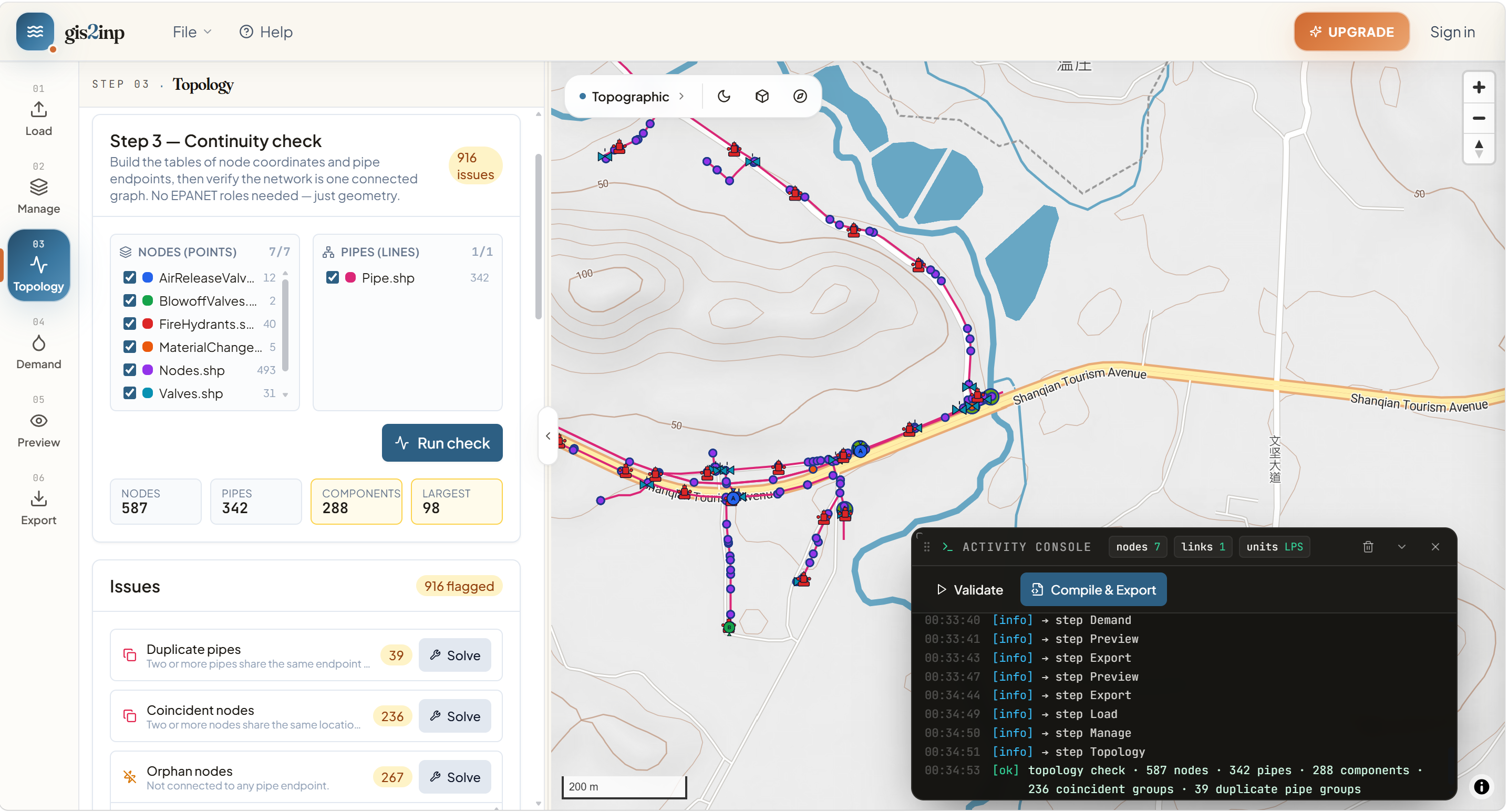
- 3Step 03TopologyAuto-detect and fix issues.
- 4Step 04DemandAllocate customer demand.
- 5Step 05PreviewValidate the .inp before shipping.
- 6Step 06ExportDownload a solver-ready .inp.
Every export is an error-free .inp.
We validate every section — junctions, pipes, tanks, coordinates — before the file ever leaves the browser. Open it in EPANET 2.2 and it just runs.
Free during the beta. No card, no limits.
Every workbench feature is unlocked for every account during the beta.
- Full 5-step workflow
- Shapefile / GeoJSON / KML / GPX
- EPANET .inp export
- Local-first — nothing uploaded